 edeale
The Newest Model Isn't Automatically the Right One
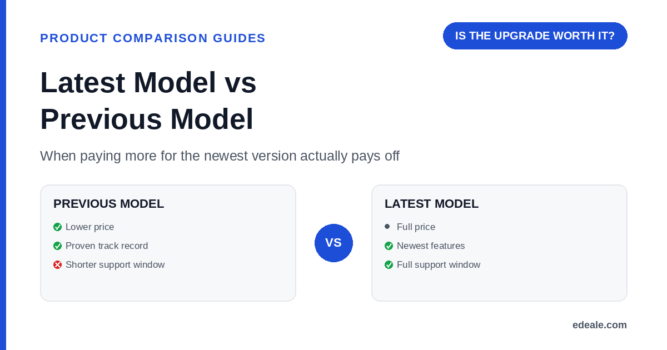
A new release usually pushes the previous model's price down while adding features most buyers never fully use. Whether that trade is worth it depends entirely on what actually changed.
This guide walks through how to tell a meaningful upgrade from an incremental refresh, when the discounted previous model is the smarter buy, and the specific checks worth running before paying more for “latest.”
- How to tell a meaningful generational change from a minor refresh
- When the discounted previous model is genuinely the better buy
- The support-and-availability trade-offs of buying an outgoing model
- A quick process for deciding between the two on any product
Manufacturers lead with the two or three flashiest new features in marketing copy. The full changelog or spec comparison — usually on the manufacturer’s own site — shows everything that actually changed, including changes that don’t make for exciting headlines but affect daily use.
What Actually Separates the Two Generations
When the Upgrade Actually Pays Off
Signs the Newer Model Is Worth the Extra Cost
When the Previous Model Is the Smarter Buy
Checklist Before Buying the Outgoing Model
-
Confirm the remaining support window
Check how much longer the manufacturer plans to support the previous model with updates, parts, or repairs.
-
Check what the new model actually added
If the changelog is mostly incremental, the discount on the previous model usually outweighs what you’d be missing.
-
Verify it's still genuinely new, not old stock
A previous-generation unit that’s been sitting in a warehouse for a long time can have a shorter remaining warranty clock, depending on when the warranty starts.
-
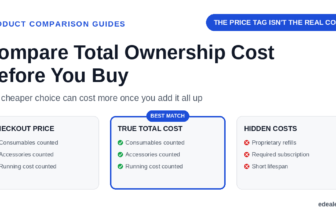
Compare the discount against total cost of ownership
A big upfront discount matters less if the previous model needs a consumable or accessory that costs more to source going forward.
-
Check independent reviews, not just launch reviews
A model that’s been out for a year or more has more long-term ownership reviews than a brand-new release — genuinely useful information a new model can’t offer yet.
The previous model isn’t automatically the bargain — it’s the bargain only when the checks above hold up.
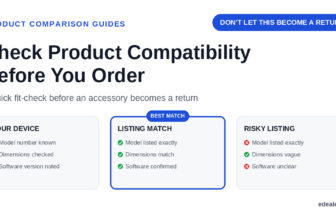
Some sellers list clearance stock of an outgoing model using language that implies it’s the current release. Always confirm the exact model number against the manufacturer’s current lineup before assuming a listing describes the newest version.
Where Comparisons Go Wrong
This is really the same underlying skill as comparing any two products — the generation label is just one more variable, not a shortcut that replaces checking the details. Confirming the exact model number of each listing matters even more here, since “latest” and “previous” model numbers can look deceptively similar.
Reviews for the previous model tell you what long-term ownership actually looks like. Reviews for the new model, where they exist, tell you about early-adopter issues that sometimes get fixed in a later software update and sometimes don’t — see our guide on reading reviews when they disagree for how to weigh the two.
Our product search tool is a fast way to pull up both generations at once and see how their current prices compare, and our verification methodology explains how we confirm a listing’s model number and generation before including it in any comparison on this site.
Latest vs Previous Model FAQ
Is the latest model always worth paying more for?
No — it depends on whether the changes address something you’ll actually notice using the product. A marginal spec increase rarely justifies a significant price gap on its own.
Is it risky to buy the previous model after a new one launches?
Not inherently, as long as the remaining support window and warranty are still adequate for how long you plan to keep the product — check both before assuming it’s a straightforward bargain.
How can I tell if a “new model” listing is actually old stock?
Confirm the exact model number against the manufacturer’s current official lineup — a genuine current release will match, while relabeled old stock often won’t.
Do previous-generation products get worse warranty terms?
Not automatically, but the remaining support and update window is often shorter simply because more time has already passed since its original release — always check the actual dates.
Should I wait for reviews of the new model before buying it?
If you can, waiting even a few weeks gives early-adopter issues time to surface and, in some cases, get resolved through a software update.
What's the biggest risk in choosing the discounted previous model?
Assuming the discount alone makes it the better deal without checking whether the changes in the new model addressed a real limitation you’d actually run into.
Does a bigger jump in model number mean a bigger real upgrade?
Not necessarily — some generational changes are cosmetic or involve minor component swaps rather than a functional improvement, so the changelog matters more than the number.
How do I compare total cost, not just sticker price, between the two?
Factor in any accessories, consumables, or subscriptions each version specifically requires, plus how many years of useful support each one still has left.
Related Reading
- How to Compare Products Before You Buy With Confidence
- Product Model Numbers Explain What You Are Actually Buying
- When Product Reviews Disagree, Which Ones Should Count?
- How to Choose a Trustworthy Online Retailer
Line up both generations before you decide
Use our comparison tool to check the latest and previous model side by side, or browse today’s verified deals to see current pricing on both.
Let the changelog decide, not the release date
A new release doesn’t make the previous model worse overnight, and a lower price on the outgoing version isn’t automatically a bargain. Read the actual changelog, check the remaining support window, and confirm the model number on both listings before deciding which one earns your money.