 edeale
“Compatible With” Isn't the Same as “Built For”
A listing that claims compatibility with dozens of device models is often describing a general fit, not a precise one. That gap is exactly where returns come from.
This guide covers how to actually verify compatibility before you order — what to check on the listing, what to confirm on your own device, and the specific red flags that predict a return before it happens.
- What a broad compatibility claim actually promises, and doesn't
- The exact details to confirm on your own device first
- How to read a compatibility list without being misled by it
- A short checklist to run before ordering any accessory
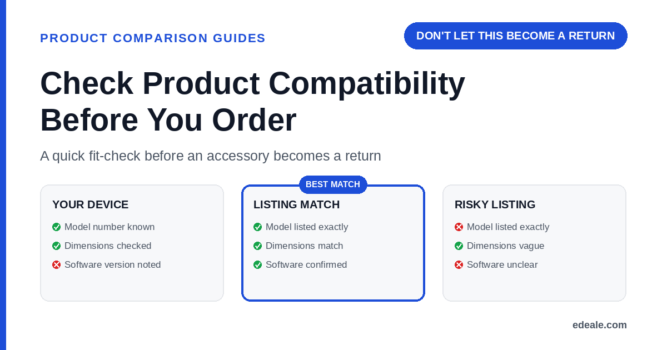
Compatibility checks only work if you know precisely what you’re checking against. Confirm your device’s exact model number first, then search for it specifically rather than relying on the general product name.
What a Compatibility Claim Actually Promises
A listing that says “compatible with” a long list of models is telling you the accessory fits within a tolerance range across that list — not that it was engineered specifically for each one. For simple mechanical fits, that’s often fine. For anything with tighter tolerances or an electrical connection, it’s worth digging deeper.
Compatibility Language Worth Understanding
- “Compatible with”
The accessory is claimed to work with the listed models, usually based on similar dimensions or connectors — verify rather than assume a perfect fit.
- “Designed for” / “Made for”
Usually a stronger claim, suggesting the accessory was engineered specifically for that model rather than adapted to fit it.
- Universal fit
Built to accommodate a wide range of sizes or connectors through adjustability — convenient, but rarely as precise as a model-specific design.
- Firmware or software compatibility
A separate concern from physical fit — an accessory can fit physically but still require a specific software or firmware version to function correctly.
A Checklist Before Ordering Any Accessory
How to Check Compatibility Before You Order
-
Confirm your device's exact model number
Not the general product name — the specific model number, since compatibility can vary between very similar-sounding versions.
-
Search the listing's compatibility list for that exact model number
A general product family name in the list isn’t the same confirmation as your specific model number appearing explicitly.
-
Check the physical dimensions if the category is size-sensitive
For cases, mounts, or covers, compare the accessory’s stated dimensions against your device’s actual dimensions.
-
Check for a firmware or software version requirement
Some accessories, especially electronics, need a minimum software version on the host device to work correctly.
-
Read reviews from owners of your specific device model
A review from someone with a different but similar model may describe a subtly different fit or function than you’d experience.
This takes a few minutes and consistently prevents the most common reason accessories get returned.
A listing that only names broad product families (“fits most tablets”) without specific model numbers gives you far less to verify against than one that lists exact models. Treat a vague compatibility claim as a reason to check more carefully, not less.
Where Comparisons Go Wrong
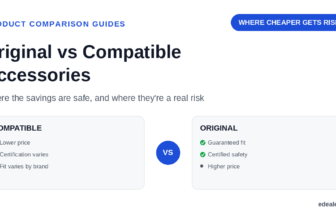
This is closely related to deciding between original and compatible accessories — a compatibility mismatch is one of the specific risks that decision needs to account for. And as with any comparison, confirming your device’s exact model number is the first and most important step, not an optional extra.
Reviews mentioning a poor or loose fit for a specific model are one of the most reliable early warnings available before you buy — see our guide on reading reviews when they disagree for how to spot a real pattern versus an isolated complaint.
Where you buy the accessory from matters here too — see our guide on choosing a trustworthy online retailer for how seller reliability affects listing accuracy. Our verification methodology covers how we confirm compatibility claims before featuring a product in any comparison on this site.
Product Compatibility FAQ
How do I find my device's exact model number to check compatibility?
Check the specifications section of your original purchase listing, the device’s settings menu if it’s electronic, or any printed label on the device or its original packaging.
Is a “universal fit” accessory as good as a model-specific one?
Not usually for precision-sensitive categories — universal accessories trade some fit precision or functionality for broader compatibility, so a model-specific option is generally the safer choice when it’s available.
What does it mean if a compatibility list only names product families, not specific models?
It gives you less to verify against directly — treat a vague compatibility claim as a reason to check more carefully, including reading reviews from owners of your specific model.
Can an accessory fit physically but still not work correctly?
Yes — some accessories also require a specific firmware or software version on the host device, which is a separate concern from physical fit.
Should I trust a seller's compatibility claim without checking further?
It’s a reasonable starting point, but cross-checking your exact model number against the list and reading reviews from owners of that specific model adds real confidence before you order.
Why do accessories for similarly-named devices sometimes not fit?
Devices sold under the same marketing name can carry different model numbers with different dimensions, connectors, or regional variations.
What's the most common reason accessories get returned for compatibility issues?
Buyers checking the general product name against a listing instead of confirming the exact model number, which can differ meaningfully even for very similar-sounding devices.
Are compatibility issues more common in certain accessory categories?
Yes — categories with tighter physical tolerances or electronic connections, like cases, mounts, and connected accessories, see more compatibility issues than simple universal items.
Related Reading
- Original vs Compatible Accessories: Where Savings Become a Risk
- Product Model Numbers Explain What You Are Actually Buying
- How to Compare Products Before You Buy With Confidence
- When Product Reviews Disagree, Which Ones Should Count?
Confirm the fit before you order
Search for your exact device model, or compare accessory listings side by side before checking out.
A few minutes of checking beats a return label
Broad compatibility claims are a starting point, not a guarantee. Confirm your exact model number, check the listing’s specific compatibility list against it, and read reviews from owners of your model before you order — it’s the fastest way to avoid the most common reason accessories get sent back.